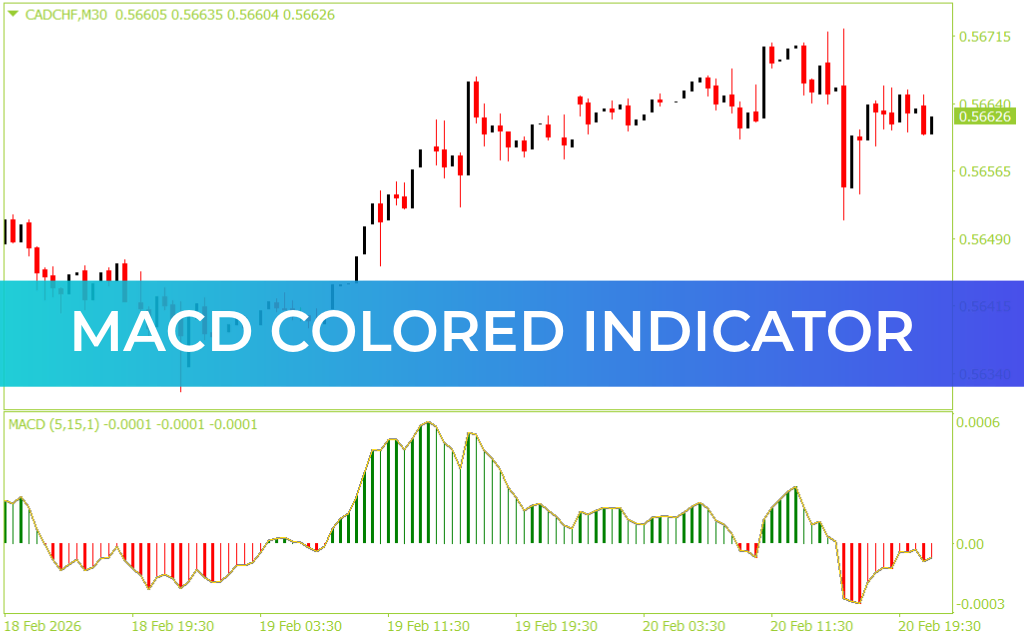
The MACD Colored Indicator for MetaTrader 4 (MT4) is a visually enhanced upgrade of the classic Moving Average Convergence Divergence (MACD) tool. Designed for traders who rely on momentum-based strategies, this version transforms traditional histogram readings into color-coded visual signals, making trend shifts and strength changes instantly recognizable.
Unlike the standard MACD, this indicator uses dynamic histogram colors to highlight bullish and bearish momentum in real time. The result is faster interpretation, cleaner charts, and more confident decision-making.
Enhanced Visual Momentum Analysis
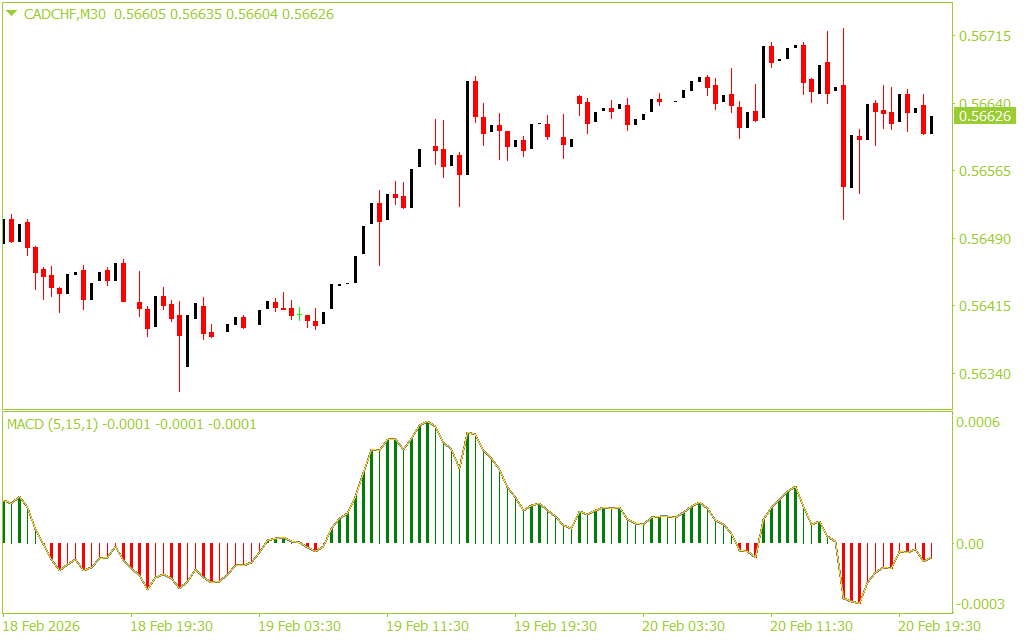
The MACD Colored Indicator simplifies momentum tracking by applying intuitive color transitions to the histogram bars:
Green histogram bars indicate bullish momentum
Red histogram bars indicate bearish momentum
Brighter tones reflect stronger trend pressure
Fading tones signal weakening momentum
This visual gradient allows traders to quickly assess whether momentum is accelerating or slowing down—without analyzing complex numerical values.
Clear and Actionable Trading Signals
The indicator generates signals based on histogram interaction with the zero line:
When the histogram shifts from red to green and moves above zero, it signals potential bullish momentum and buying opportunities.
When the histogram turns red and drops below zero, it suggests bearish momentum and potential sell setups.
Because the indicator updates in real time, traders can respond immediately to emerging trend changes or reversals.
Advanced Calculation Options
Beyond standard MACD calculations, this indicator includes optional alternative momentum models such as:
RSI-based MACD
Momentum-based MACD
CCI-based MACD
These flexible settings allow traders to tailor the indicator to their preferred strategy and market conditions.
Built-In Alerts for Faster Reactions
Integrated alert settings ensure you never miss a momentum shift. Traders can enable:
Sound alerts
Push notifications
Email notifications
This makes the MACD Colored Indicator suitable for active intraday traders and swing traders alike.
Why Choose the MACD Colored Indicator?
The MACD Colored Indicator for MT4 delivers clarity, flexibility, and speed. By enhancing the traditional MACD with color-coded momentum visualization and customizable calculation options, it transforms complex data into easy-to-read signals.
Whether you trade breakouts, pullbacks, or trend continuations, this indicator helps you interpret market momentum with greater precision and confidence.
FAQ
14 Downloads
Last Update:
Feb 22, 2026 12:40 PM
Published:
Feb 22, 2026 06:54 AM
Category: