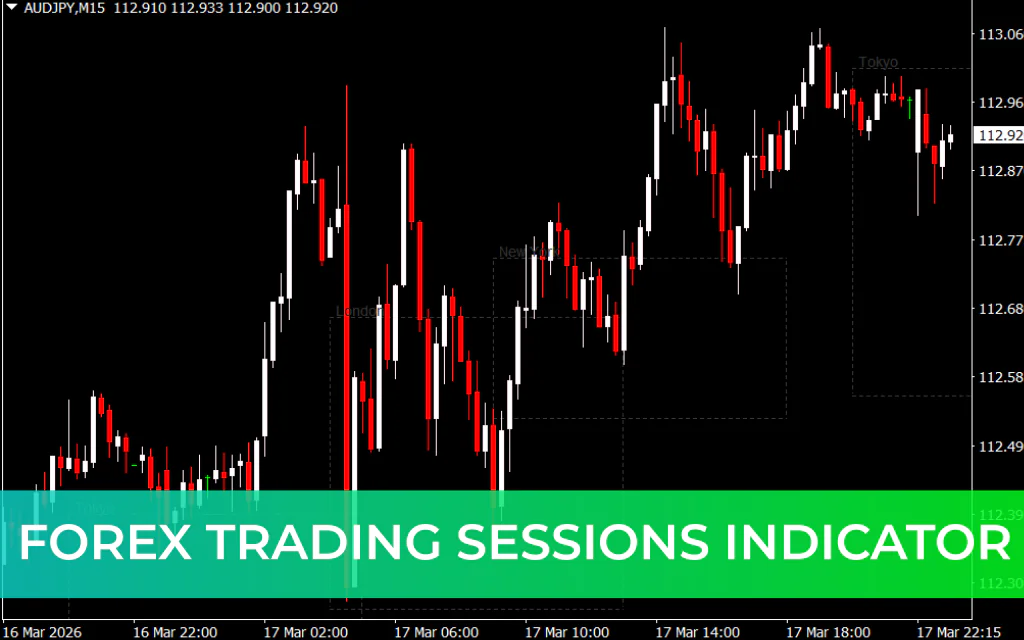
The Forex Trading Sessions Indicator for MetaTrader 4 (MT4) is a useful tool that displays the working hours of the major global forex trading sessions directly on your chart. These sessions include the trading centers in London, New York, Tokyo, and Sydney.
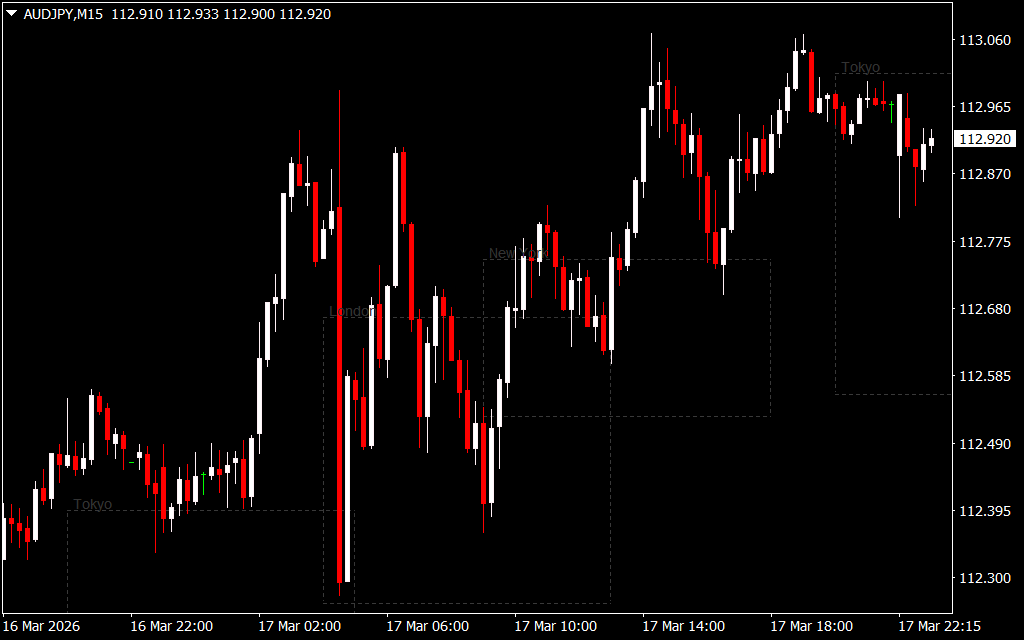
Each trading session has its own level of volatility, liquidity, and trading behavior, which can significantly impact price movements. By visualizing these sessions on the chart, traders can better manage orders and identify the best trading opportunities.
What Is the Forex Trading Sessions Indicator?
The Forex Trading Sessions Indicator highlights the active trading periods of the major financial centers by drawing colored boxes with dotted outlines directly on the chart.
These session boxes allow traders to quickly see:
- The start and end times of each trading session
- Past sessions
- Currently active sessions
- Upcoming session openings
This visual representation helps traders understand when market activity is highest, making it easier to plan trades and manage open positions.
Key Features of the Indicator
- Displays London, New York, Tokyo, and Sydney trading sessions
- Shows past, current, and future sessions
- Uses clear dotted boxes for easy chart analysis
- Compatible with all currency pairs
- Works on all timeframes
One important aspect to consider is your broker’s server time zone. Because session times may vary depending on the broker's time settings and Daylight Saving Time (DST) changes, traders may occasionally need to adjust the indicator settings to ensure accurate session timing.
Session Overlaps and Market Volatility
Forex traders often focus on session overlap periods, which are usually the most volatile times of the trading day. During these periods, multiple major financial markets are open simultaneously, resulting in higher trading volume and stronger price movements.
Common overlapping sessions include:
- Tokyo – London Overlap: 10:00 – 11:00 (GMT+3)
- London – New York Overlap: 15:00 – 19:00 (GMT+3)
- Sydney – Tokyo Overlap: 02:00 – 10:00 (GMT+3)
These overlaps often create the best trading opportunities due to increased market activity.
Best Currency Pairs for Each Session
Different currency pairs tend to be more active during specific trading sessions.
Asian Session (Tokyo)
Popular pairs include:
- USD/JPY
- AUD/USD
- NZD/USD
London Session
Commonly traded pairs:
- GBP/USD
- EUR/USD
- USD/CHF
New York Session
Active trading pairs include:
- USD/CAD
- Gold
- EUR/USD
Selecting currency pairs that match the active session can improve trade timing and liquidity.
How to Trade Using Forex Sessions
Many popular trading strategies are based on the timing of forex sessions. The session indicator can help traders identify key price ranges and breakout opportunities.
Popular strategies include:
- London Breakout Strategy
- Asian Box Strategy
- New York Breakout Strategy
London Breakout Strategy Rules
A common strategy used by traders is the London Breakout approach.
Steps:
- Identify the high and low range of the Asian (Tokyo) session using the session indicator.
- Wait for the London session to open.
- Watch for a price breakout above or below the Asian range.
- Open a trade in the direction of the breakout.
- Place a stop-loss below the low or above the high of the Asian session.
- Set a take-profit target with a favorable risk-to-reward ratio, often 1:2.
Conclusion
The Forex Trading Sessions Indicator for MT4 is an essential tool for understanding when the forex market is most active. By clearly displaying global trading sessions on the chart, it helps traders identify the best times to trade and manage positions effectively.
Whether you are a beginner or an experienced trader, this indicator can improve your market timing, volatility analysis, and trading strategy performance.
FAQ
8 Downloads
Published:
Mar 17, 2026 18:28 PM
Category: